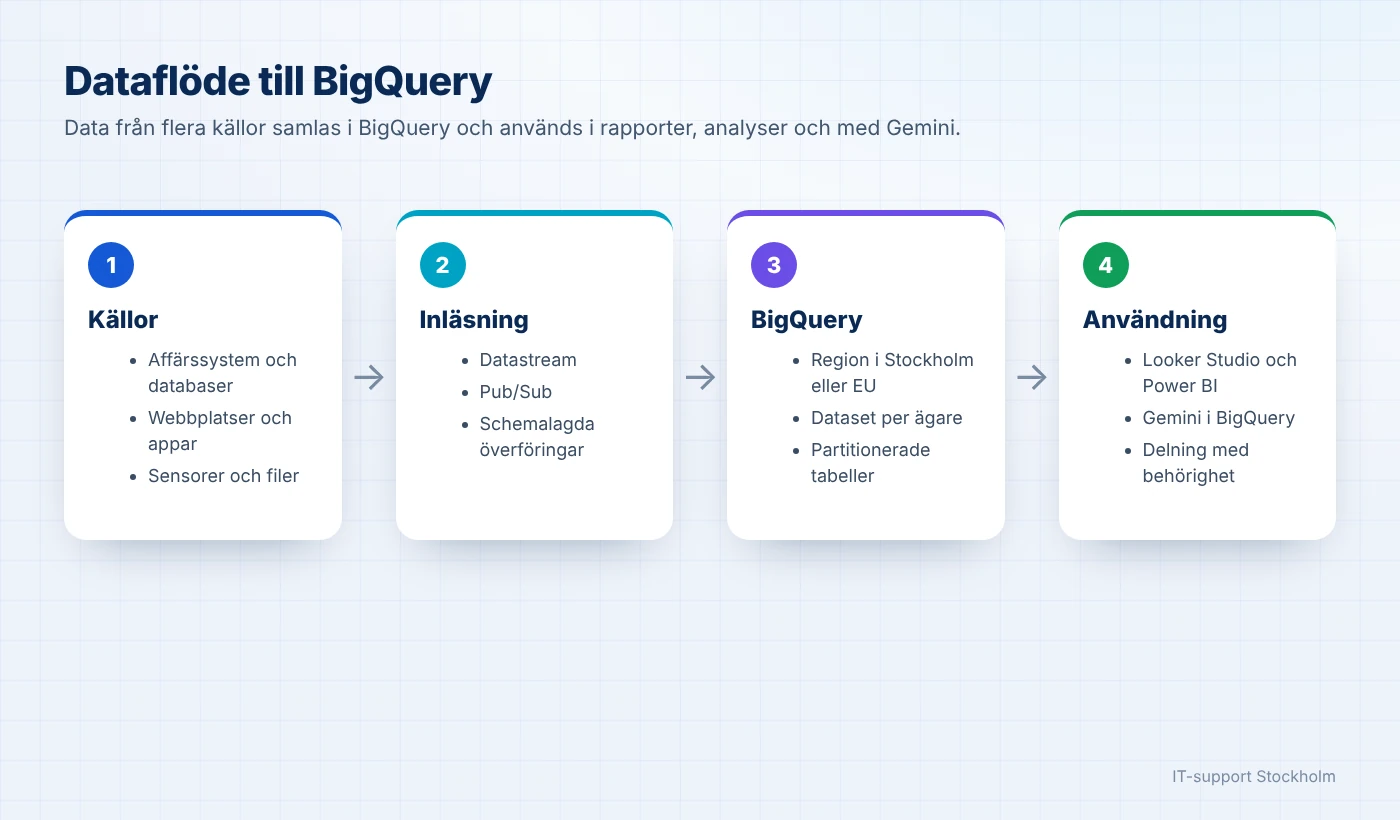
Many groups, for example, have data spread across business systems, websites, sensors and spreadsheets. Gathering everything in one place and analysing it used to require large servers and a lot of work. BigQuery in Google Cloud is a data warehouse without servers to manage, where you pay for what you store and what you analyse.
With Gemini, analysts can moreover ask questions in plain language and get suggestions for SQL, summaries and charts. In this article, we explain how we build such a platform securely and cost-effectively.
What BigQuery does
The service stores data in tables and answers questions in SQL, even when the tables contain billions of rows. Google takes care of the servers, and moreover the capacity grows automatically.
In addition, the service can read data stored in Cloud Storage, in other clouds or in Google Sheets. In other words, you do not need to copy everything in before the analysis starts.
Gemini in BigQuery
Gemini also helps analysts write and explain SQL, find patterns in data and create summaries. Therefore, more staff get started faster. However, someone should always check the answers, because an AI assistant can misunderstand the question.
How we build the platform in BigQuery
Region and storage
First, we choose the region, because it decides where the data lives. Google Cloud has a region in Stockholm, and for many organisations it matters that data stays in Sweden or within the EU. After that, we divide the data into projects and datasets by owner and sensitivity.
Loading
Next, we build flows that load data automatically. Among other things, we use Datastream for databases, Pub/Sub for events and scheduled transfers for systems that export files.
Permissions
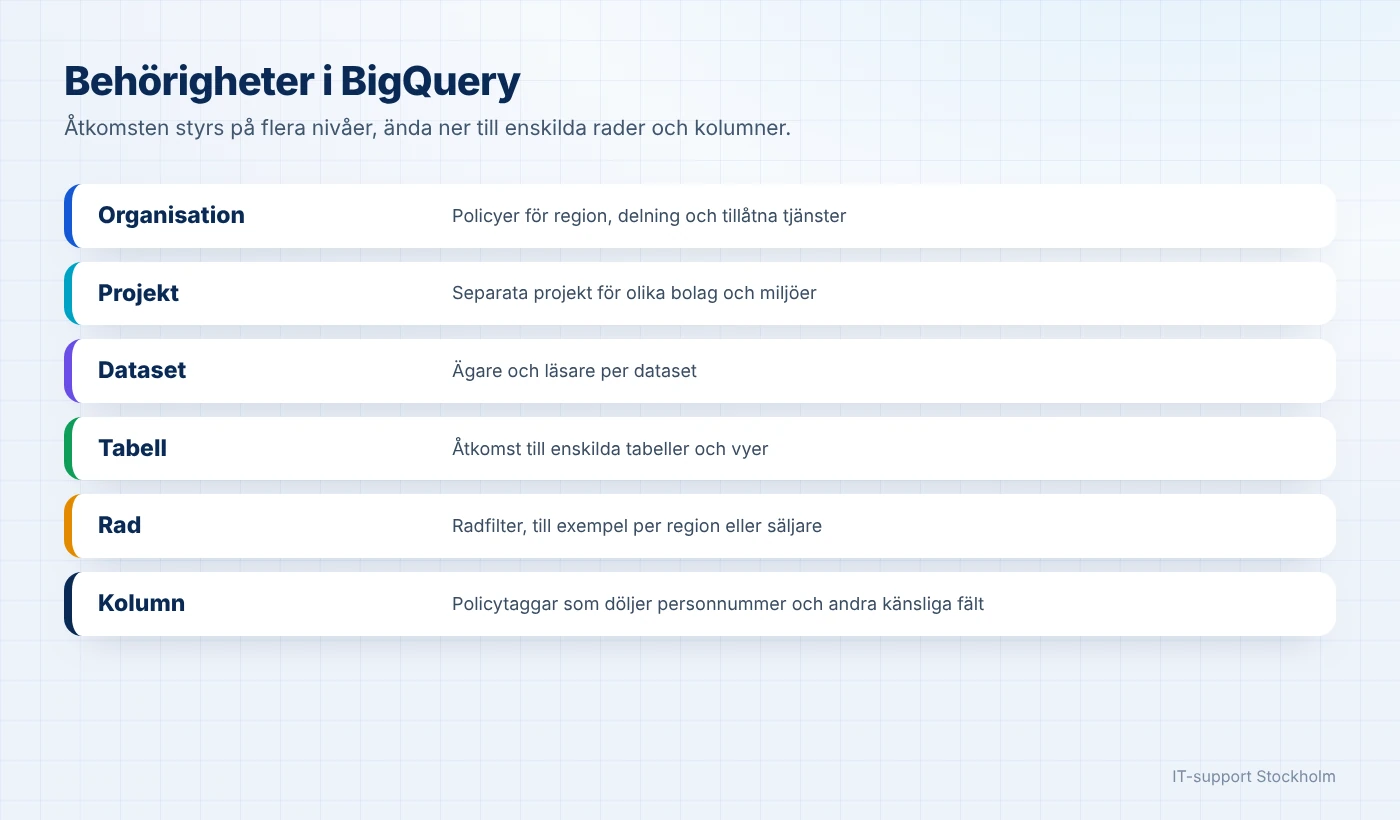
At the same time, we control who may see what, because not everyone should see everything. You can restrict access to individual columns and rows. For example, a salesperson can see their own clients but not other people’s, and we can hide personal identity numbers from everyone except a few.
Cost control
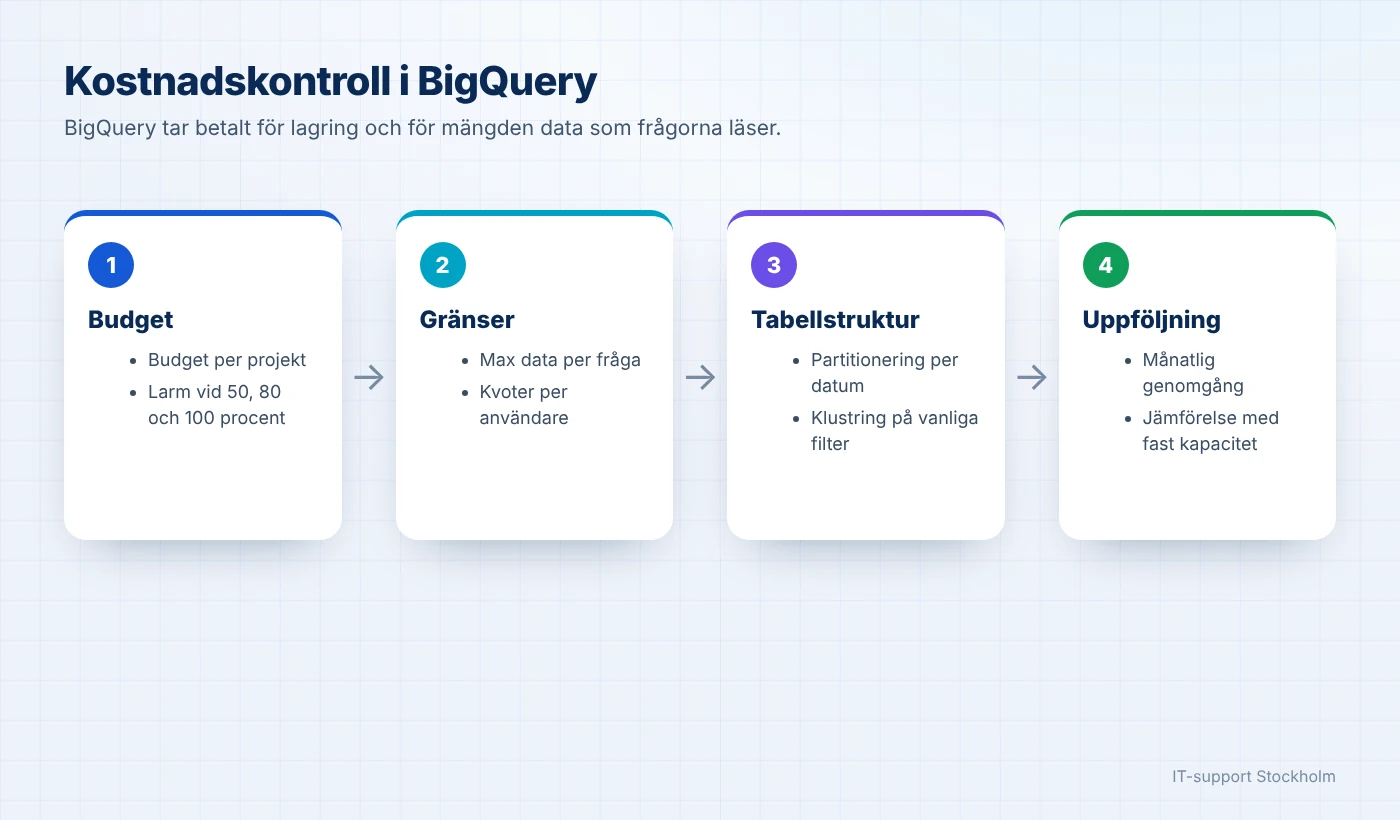
The service charges for storage and for the amount of data that the queries read. A badly written query can therefore become expensive. For this reason, we introduce budgets, alerts and limits per user. In addition, we partition the tables by date, so that the queries only read the part they need.
For organisations with steady use, fixed capacity can be cheaper. Therefore, we compare the models after a few months of use.
Reports and integration
After that, we present the results in Looker Studio, Looker or Power BI. For groups that otherwise use Microsoft, Power BI can read from BigQuery perfectly well.
Data quality and ownership
An analysis is never better than its data. Therefore, we build checks that raise an alert when a flow stops delivering, when values are missing or when the number of rows suddenly changes. Furthermore, we document every table in Dataplex, so that analysts know where the data comes from and who is responsible for it.
At the same time, we appoint an owner for every dataset. The owner decides who gets access and makes sure that the data is up to date.
You can also read about least privilege in the cloud and about Microsoft 365 Copilot, where the same questions about AI and permissions apply.
Google describes the service in its documentation for Google Cloud.
Why groups choose us for BigQuery
We work with Google Cloud, Azure, AWS and Oracle Cloud. As a result, we can connect data from all environments and build a platform that works with the tools you already have.
Our prices start at €400 per hour excluding VAT. In addition, we offer a fixed price for a first platform with a few data sources. Contact us via the form on our home page.
Frequently asked questions about BigQuery
The service
- What is BigQuery?
- What is Gemini in BigQuery?
- Do we need our own servers?
- How large amounts of data can BigQuery handle?
- Can BigQuery read data in other clouds?
- Is Google Cloud available in Sweden?
- Can the data stay within the EU?
- How secure is BigQuery?
- Can Gemini give incorrect answers?
- Does Google use our data to train AI models?
Setup
- How do you load data from our systems?
- What are Datastream and Pub/Sub?
- How do you control permissions on columns and rows?
- How do you hide personal identity numbers?
- How do we keep costs down?
- What are partitioned tables?
- When does fixed capacity pay off?
- Can we use Power BI with BigQuery?
- What is Looker Studio?
- How do you monitor the flows?
Price and cooperation
- What does BigQuery cost per month?
- What does a first platform with your help cost?
- Do you offer a fixed price?
- Do you work with our analysts?
- Do you train the users?
- Do you document the platform?
- Can you take care of operations continuously?
- Do you also help public authorities?
- Can you move data from other data warehouses?
- How do we get started?