
Ransomware is today one of the most serious threats to Swedish groups, public authorities and law firms. The attacker encrypts servers and files, steals data and demands payment for both the key and the silence. Therefore, more and more organisations ask for comprehensive ransomware protection.
Real ransomware protection is therefore not about a single program. Instead, it is about closing the ways in, limiting what an attacker can reach and being able to restore the business without paying.
How an attack starts – and where ransomware protection starts
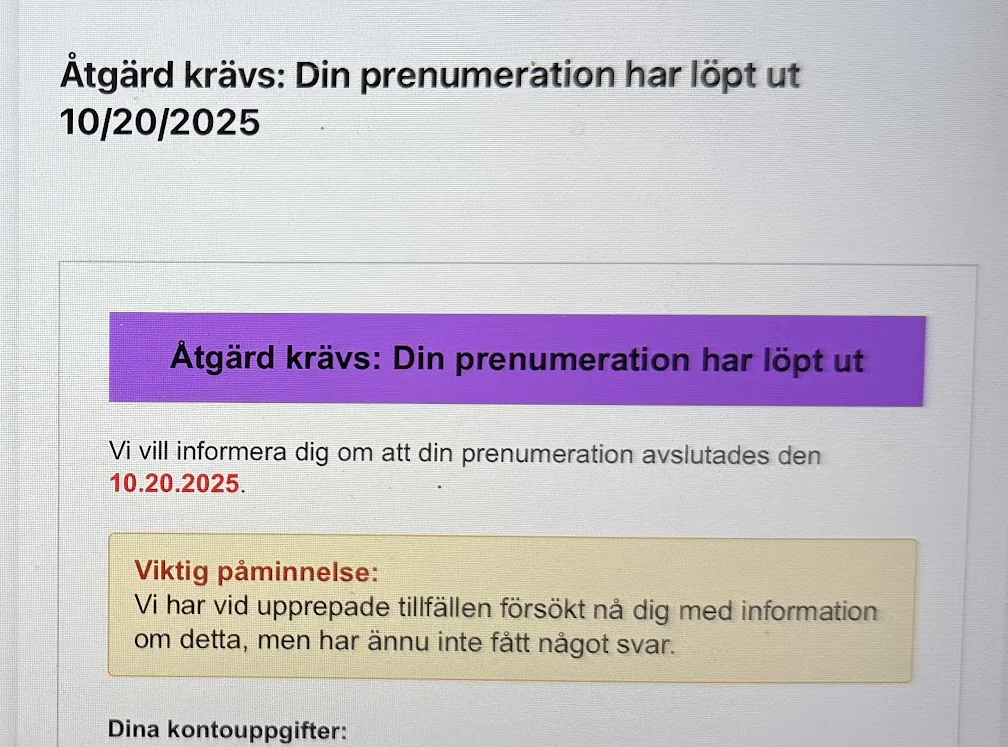
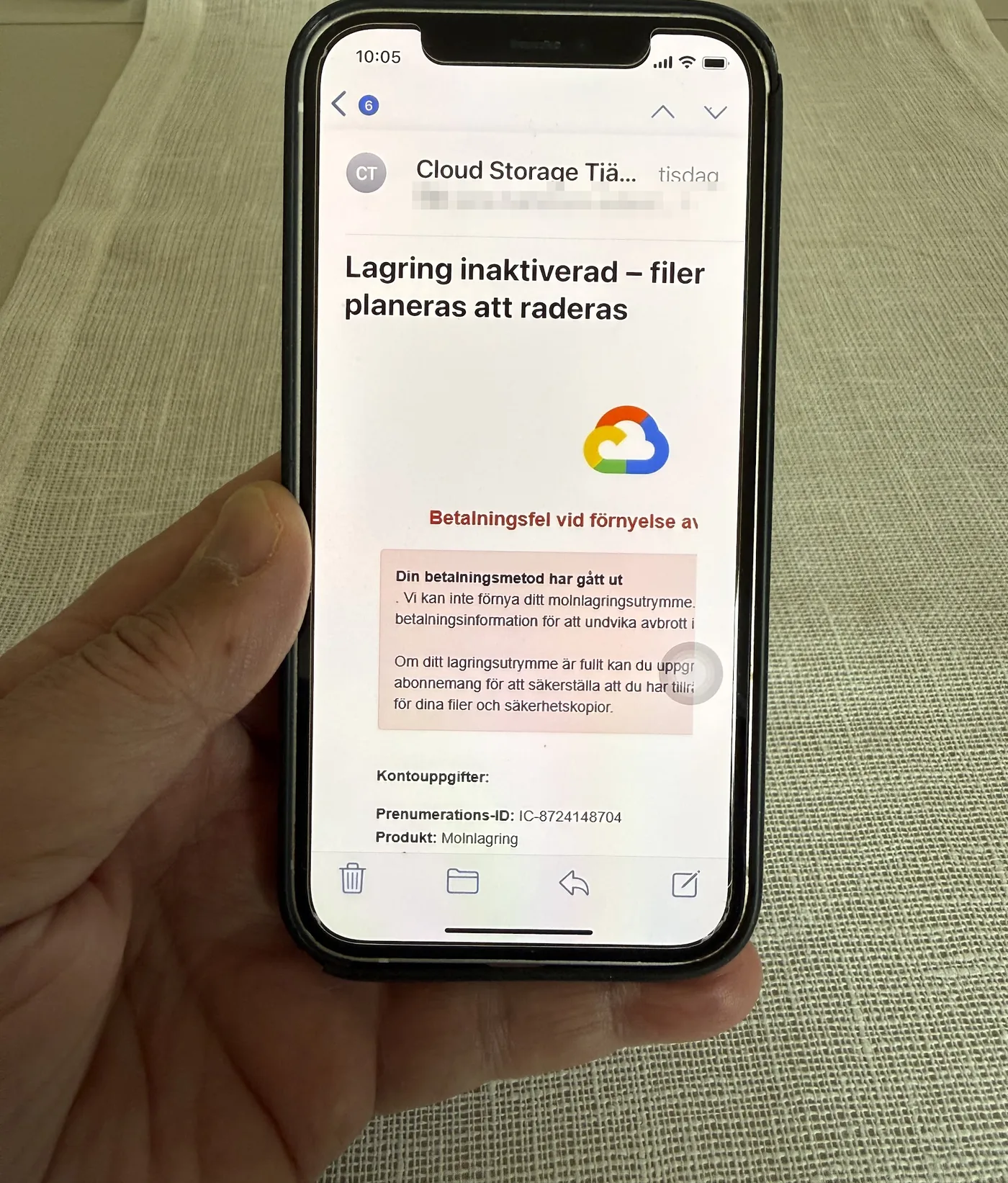
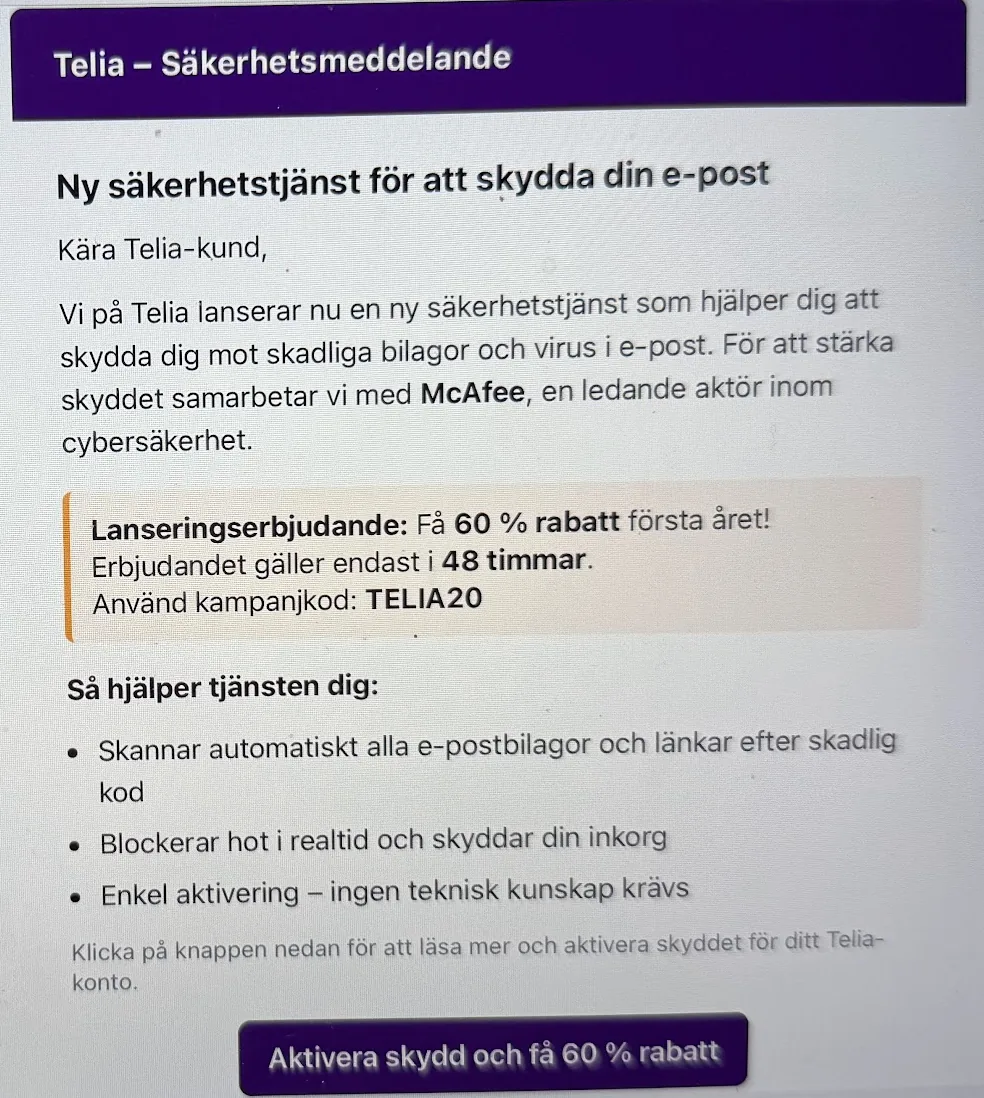
Most attacks start with something ordinary. For example, it may be an email about an expired subscription, a fake security message or a warning that the storage is full.
The employee clicks, signs in on a fake page and hands over the password and sometimes the one-time code too. After that, the attacker signs in as a perfectly ordinary user.
Then follows a quiet phase that can last for weeks. Meanwhile, the attacker maps the network, looks for administrator accounts and backups and copies data out before the encryption starts.
Fake offers and subscription traps
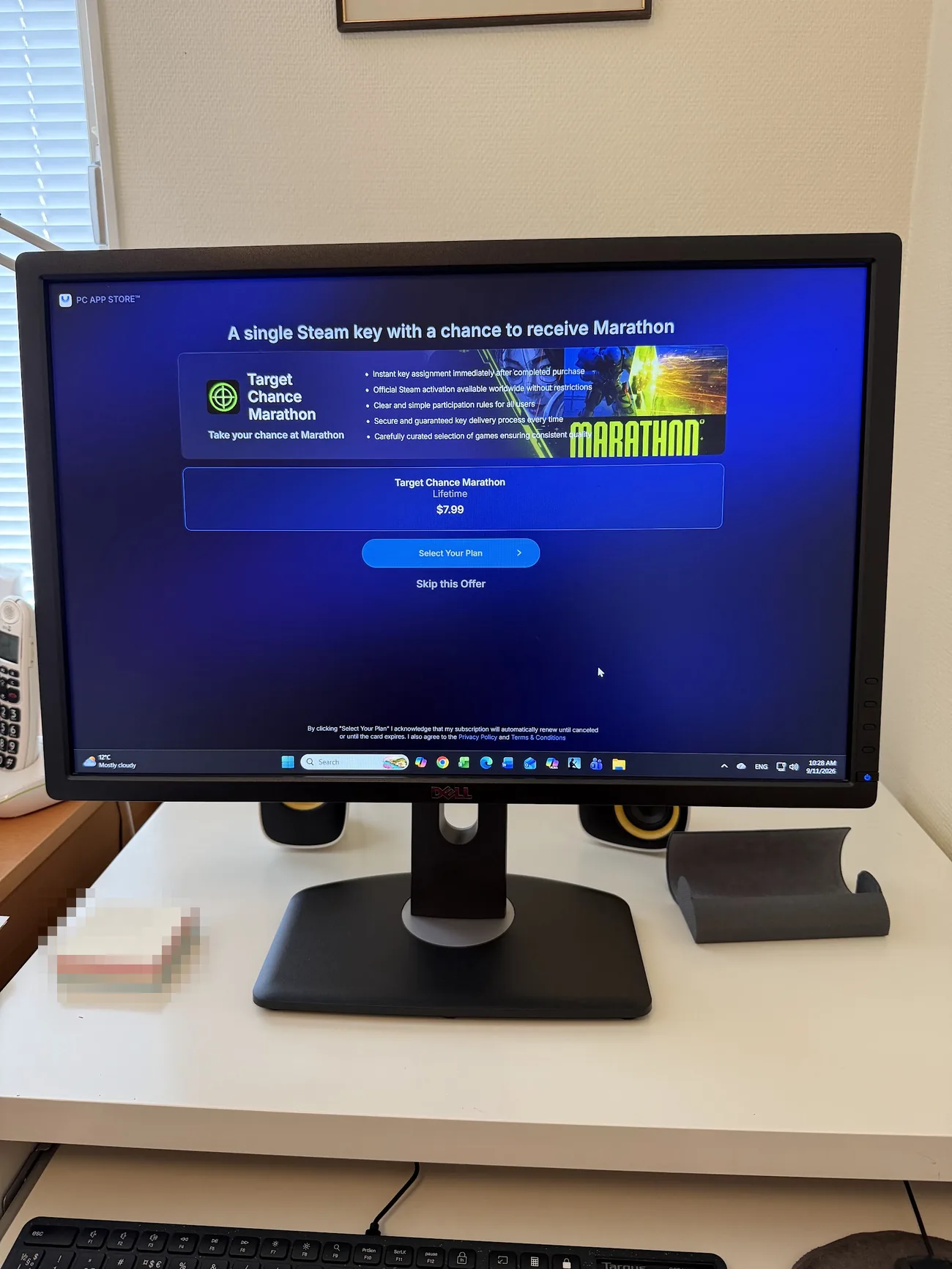
In one of our assignments, the client had been the target of a fraud attempt. Full-screen adverts appeared on the screen, claiming to sell well-known security software and game keys at a discount.
The adverts led to a payment page with automatic renewal. At the same time, the aim was to make the user hand over card details and install software that the attacker controls.
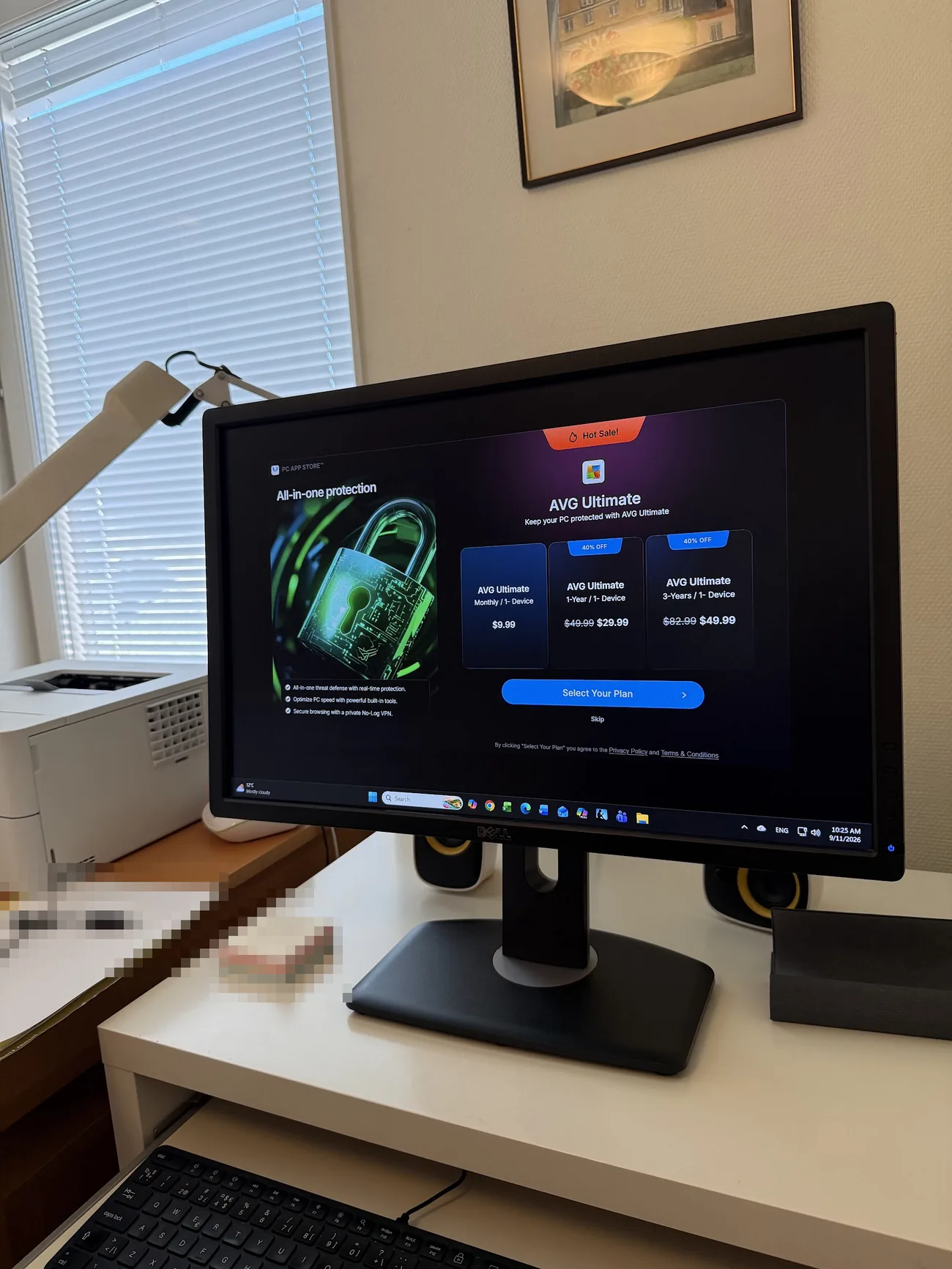
Therefore, we documented the adverts, cleaned the browser and the computer and blocked the websites that the adverts came from. In addition, we checked that no payments or sign-ins had gone through.
Three layers in modern ransomware protection
1. Close the ways in
First, the goal is to make it hard to get in. In practice, this means phishing-resistant sign-in, for example FIDO2 keys or Windows Hello for Business, instead of SMS codes alone.
In addition, conditional access in Entra ID stops sign-ins from unknown devices and countries. Email protection with DMARC, DKIM and SPF also makes it harder to forge senders in your name.
2. Limit what the attacker can reach
If someone still gets in, the damage must stay as small as possible. Therefore, nobody should have permanent administrator rights in daily work.
Instead, the administrator activates the rights for a limited time with Privileged Identity Management, and global administrators get separate accounts that never handle email. At the same time, we split the network so that an infected computer cannot reach servers and backups.
3. Restore without paying
Finally, the backups must survive the attack. In other words, they should be immutable and sit in a separate account or tenant, and you need to test them regularly.
A backup that nobody has ever restored as a test is only an assumption. We therefore practise the restore together with you, so that you know how long it takes.
Ransomware protection at suppliers and for remote access
Many attacks do not come at you directly, but via a supplier. For example, a consultant with remote access, an old VPN account or a finance system that someone else runs can become the door in.
Therefore, we review all external connections, from VPN and firewalls to guest accounts in Entra ID. We close accounts that nobody uses, and the rest get two-step verification and time-limited access.
At the same time, we check that firewalls, VPN servers and other systems visible on the internet have the latest updates. In fact, such systems are often the first thing attackers look for.
Permissions are often the weakest link
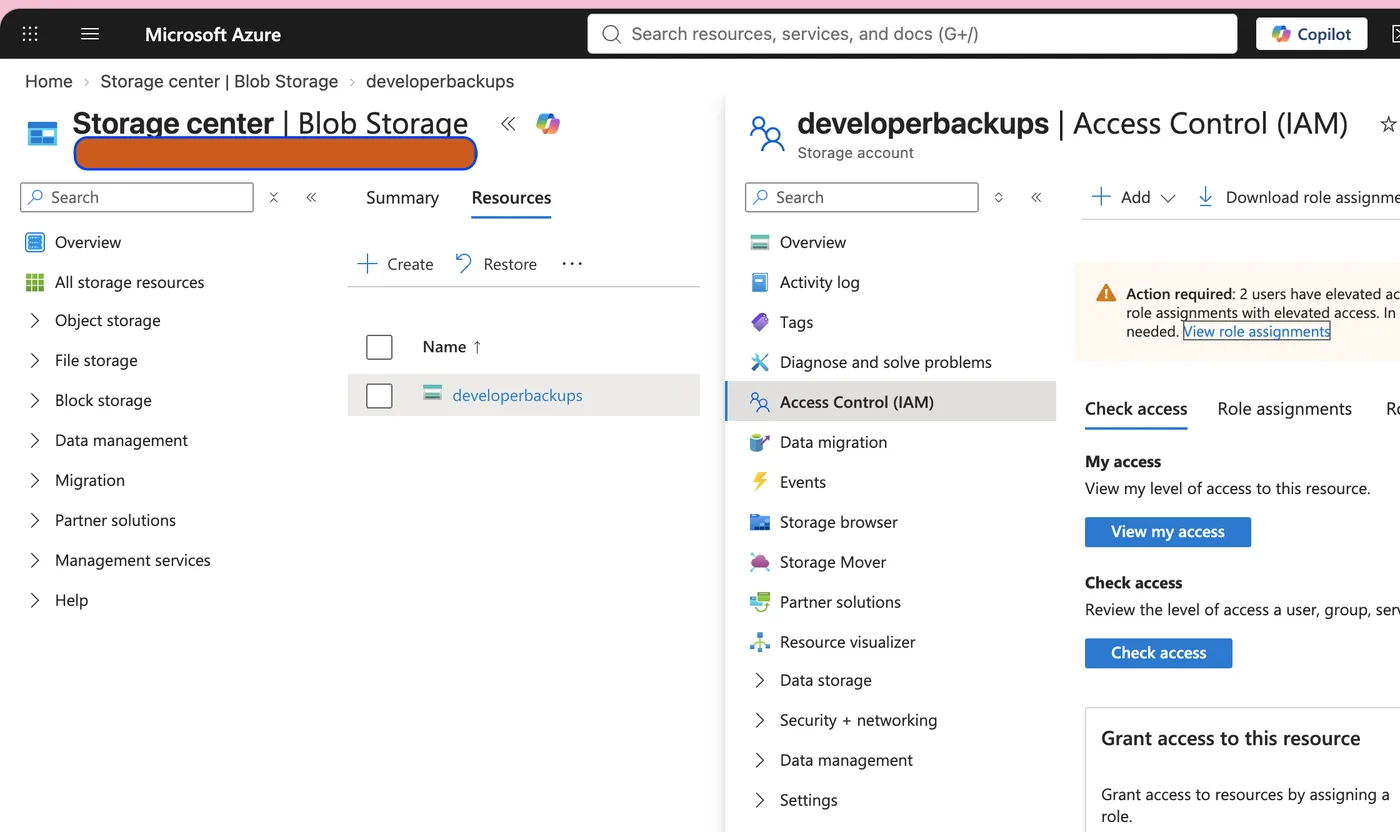
In almost every environment we review, there are more administrators than anyone knows about. For instance, there may be old consultant accounts, service accounts with excessive rights or users who received elevated access during a project.
Microsoft Azure itself warns when users have elevated access in the tenant. Nevertheless, such warnings often stay unhandled for months.
Therefore, our work starts with a review of all privileged roles in Entra ID, Azure, AWS and Google Cloud. As a result, you get a list of what to remove, what we make time-limited and what we monitor.
Ransomware protection through monitoring
Since the attacker is often inside long before the encryption, there is time to detect the attack. However, it requires that someone actually looks.
With Microsoft Defender XDR and Microsoft Sentinel, we collect signals from computers, identities, email and cloud services. Consequently, unusual sign-ins, mass downloads from SharePoint or disabled backups trigger an alert at once.
When an alert arrives, there must be a plan. Who isolates the computer, who contacts management and who talks to the Police and the Swedish Authority for Privacy Protection?
You can read more about how we work when the attack has already happened in the article on incident response after a data breach.
The Swedish national CSIRT, CERT-SE, also publishes current warnings about attacks against Swedish organisations.
Why groups choose IT-support Stockholm
We have worked with IT security in environments with high requirements, from the defence industry and telecoms to law firms and public authorities. Therefore, we know that ransomware protection must work even on a Friday evening when nobody is at the office.
We start with a review of your environment and deliver a prioritised list of actions. After that, we carry out the actions together with your IT department or entirely on our own.
Our prices start at €400 per hour excluding VAT. In addition, we are happy to offer a fixed price for a defined review or a whole project. Contact us via the form on our home page.
Frequently asked questions about ransomware protection
The basics of ransomware protection
- What is ransomware?
- How do attackers usually get in?
- Is an antivirus program enough?
- Why do attackers steal data before they encrypt?
- How long can an attacker stay inside before the encryption starts?
- Which organisations are hit most often?
- Can a law firm become a target?
- Do cloud services protect against ransomware automatically?
- What is phishing-resistant sign-in?
- What is conditional access in Entra ID?
Permissions, backups and monitoring
- How many global administrators should an organisation have?
- What is Privileged Identity Management?
- What does immutable backup mean?
- How often should we test a restore?
- Can an attacker encrypt backups in Microsoft 365?
- What does Microsoft Defender XDR do?
- What is Microsoft Sentinel?
- How do you detect an attacker who is already inside?
- Should we split the network into zones?
- How do we protect servers in AWS and Google Cloud?
If the attack still happens
- Should we pay the ransom?
- Whom should we contact first?
- Must we report the attack to the Swedish Authority for Privacy Protection?
- How does the Cybersecurity Act affect the duty to report?
- How quickly can you help?
- Can you help us on site in Stockholm?
- Do you also work with private individuals?
- What does a review of our ransomware protection cost?
- Do you also offer a fixed price?
- How do we get started once we have decided?