
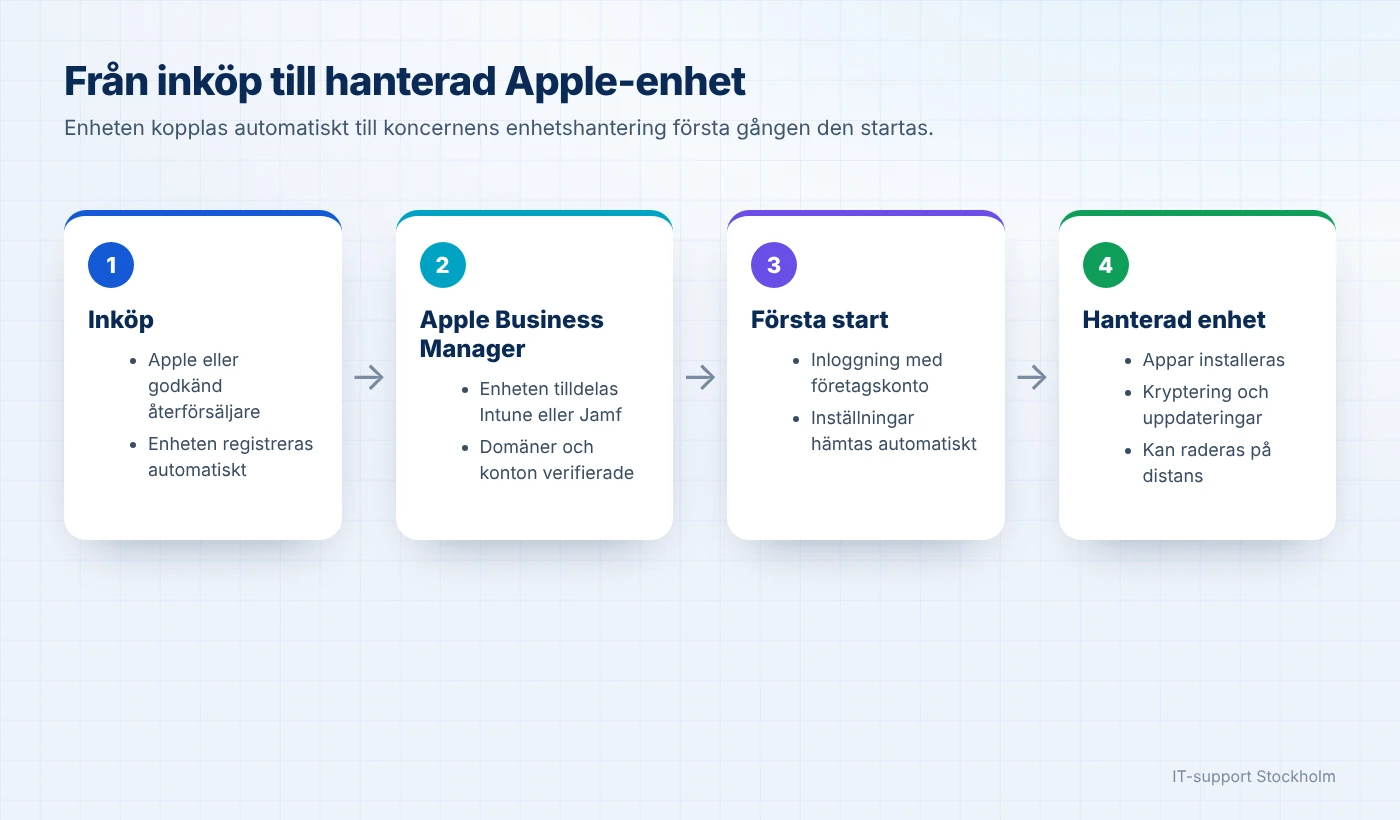
More and more staff also work on Mac, iPhone and iPad. At the same time, the IT department often manages the Apple devices by hand, while the Windows computers have central control. As a result, gaps appear in security. With Apple Business Manager, every device automatically connects to the group’s device management system the very first time someone starts it.
In this article, we explain how we set up Apple Business Manager together with Intune or Jamf, and how we protect the devices.
What Apple Business Manager does
The service is Apple’s free portal for businesses. It has three main parts.
- Automatic enrolment of devices that you buy from Apple or an authorised reseller
- Apps and books, where the group buys licences and hands them out without personal Apple IDs
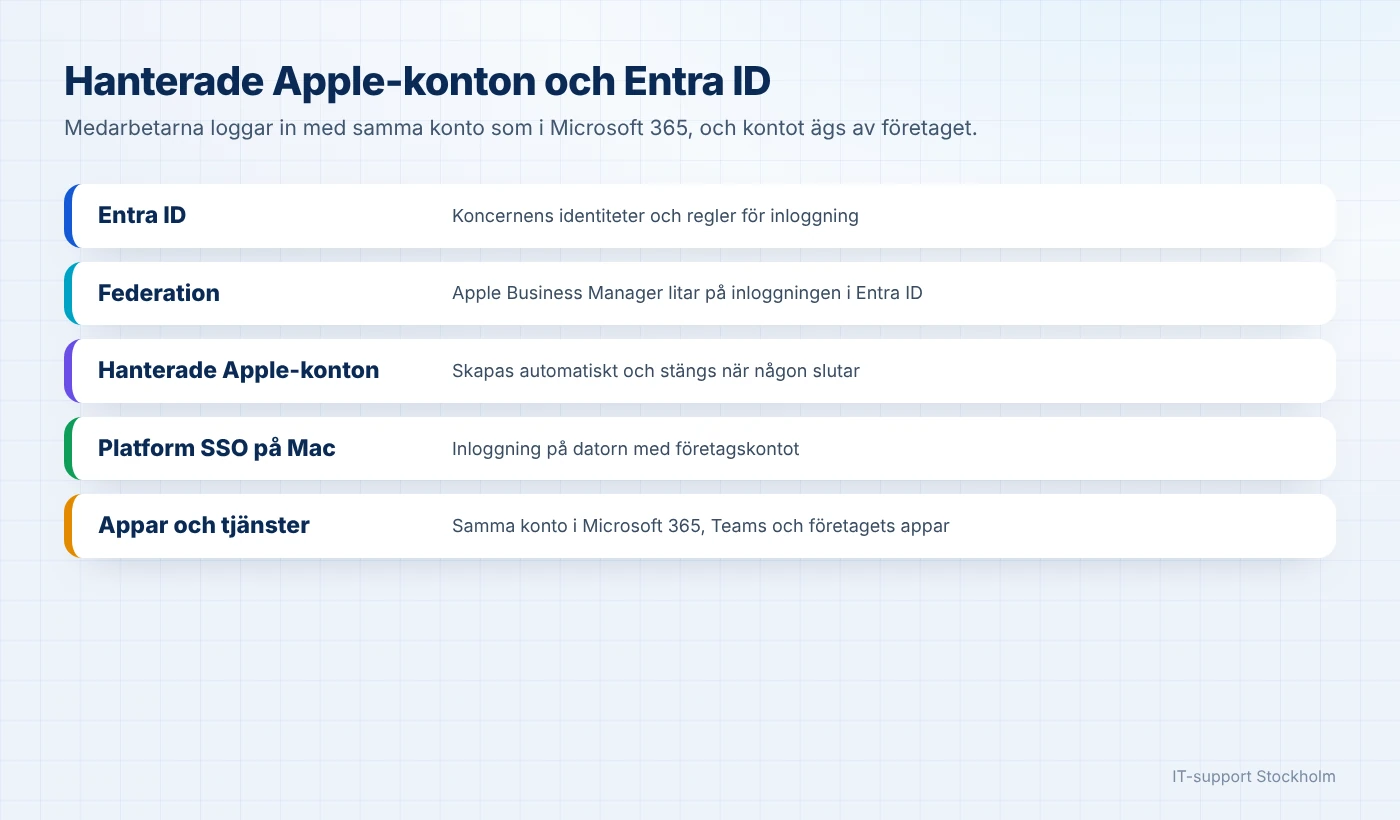
- Managed Apple accounts, which the company owns and can connect to Entra ID
Therefore, the IT department does not need to touch the device before the supplier ships it to the user. When the user starts it, it automatically fetches settings, apps and security rules.
How we set up Apple Business Manager
Registration and verification
First, we register the organisation with Apple and at the same time verify the domains. Next, we connect the resellers, so that new devices appear in the portal automatically.
Connection to Intune or Jamf
After that, we connect the portal to the device management system. For groups that already use Microsoft, we therefore usually choose Intune. For organisations with many Macs and high demands on Apple features, Jamf can be better.
Managed Apple accounts and Entra ID
At the same time, we connect the portal to Entra ID. The service then creates managed Apple accounts automatically, and staff sign in with the same account as in Microsoft 365. When someone leaves, we close the account in all systems at once.
Security on Mac, iPhone and iPad
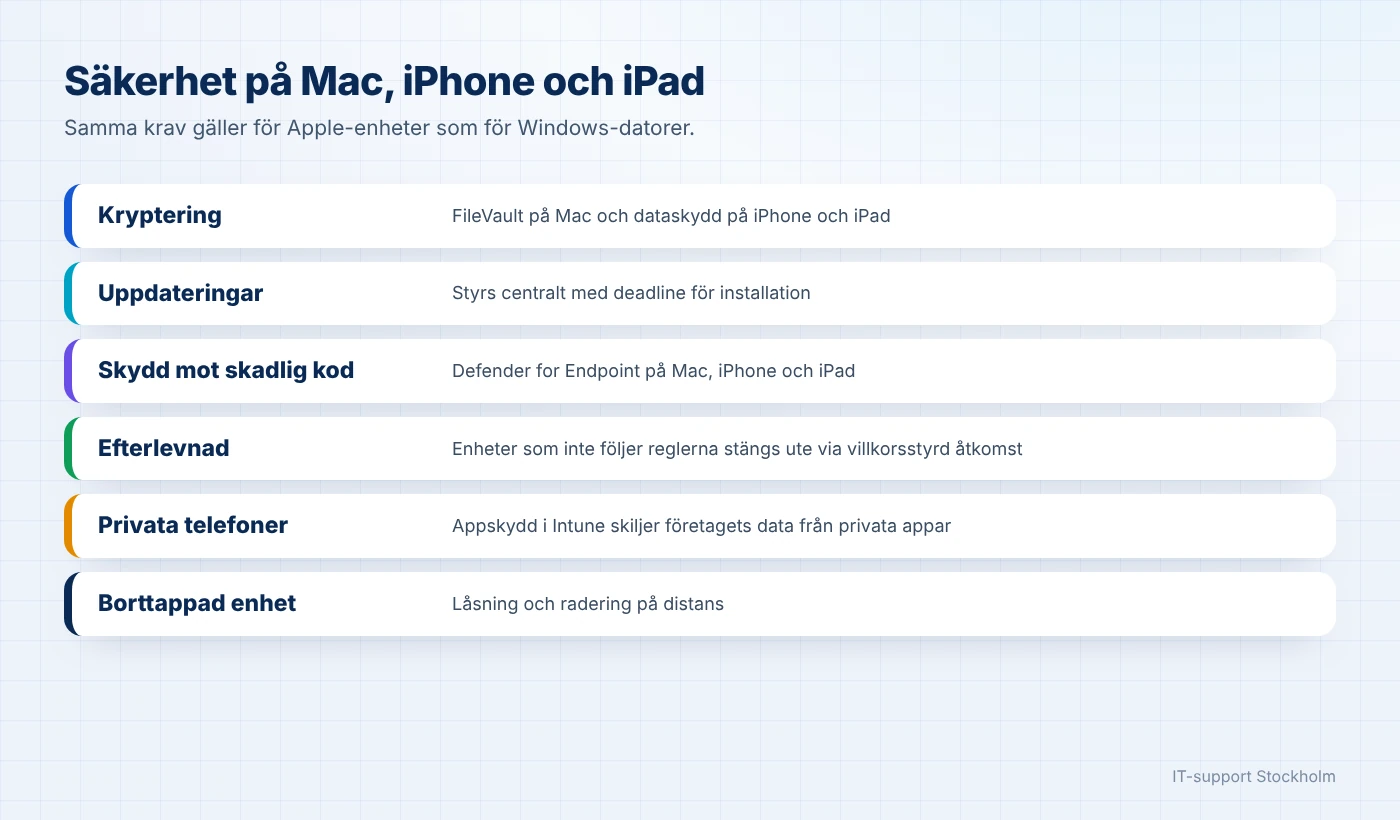
Once we manage the devices, we thus introduce the same requirements as on Windows. FileVault encrypts the disks, we control screen lock and updates centrally and Defender for Endpoint protects against malicious code.
In addition, we use Platform SSO on Mac. In other words, the user signs in to the computer with the company account, and the sign-in then works in all apps.
For private phones, on the other hand, we do not use full device management. Instead, we protect the company’s data in the apps with app protection in Intune, so that the employee’s private data remains untouched.
Devices that change owner
A thief cannot use a registered device, because it always connects back to the company. Therefore, we also draw up a routine for how you retire devices, erase them and return or sell them.
Apps and settings
Through Apple Business Manager, we buy apps in volume and hand them out to devices or users. As a result, staff need no Apple ID of their own to get the company’s apps. When someone leaves, we reclaim the licence and use it for the next employee.
Moreover, we control settings such as Wi-Fi, VPN, email and certificates centrally. In other words, a new Mac or iPhone works straight away, without the user having to set anything up.
You can also read about Intune and compliance and about IT security under a high threat level.
Apple describes the service in its guide to Apple Business Manager.
Why groups choose us for Apple Business Manager
We have namely worked with both Apple and Microsoft for many years. Therefore, we can build an environment where Mac, iPhone, iPad and Windows follow the same rules and share the same administration.
Our prices start at €400 per hour excluding VAT. In addition, we offer a fixed price for a complete introduction. Contact us via the form on our home page.
Frequently asked questions about Apple Business Manager
The service
- What is Apple Business Manager?
- Does the service cost anything?
- What is automatic device enrolment?
- Which resellers can register our devices?
- Can we add devices we have already bought?
- What are managed Apple accounts?
- Can we connect the portal to Entra ID?
- How do apps and books work?
- Do staff need their own Apple IDs?
- What happens to a stolen device?
Management and security
- Should we choose Intune or Jamf?
- What is Platform SSO?
- How do you encrypt a Mac?
- How do you control updates on iPhone and Mac?
- Does Defender for Endpoint work on Mac?
- How do you handle private phones?
- What is app protection in Intune?
- Can we erase a device remotely?
- How do we retire a device?
- Can the same rules apply to Windows and Mac?
Price and cooperation
- How long does an introduction take?
- Do users notice anything?
- Do you work together with our reseller?
- Do you document the settings?
- Do you also help law firms and public authorities?
- What does an introduction cost?
- Do you offer a fixed price?
- Can you take care of operations continuously?
- Do you work on site in Stockholm?
- How do we get started?