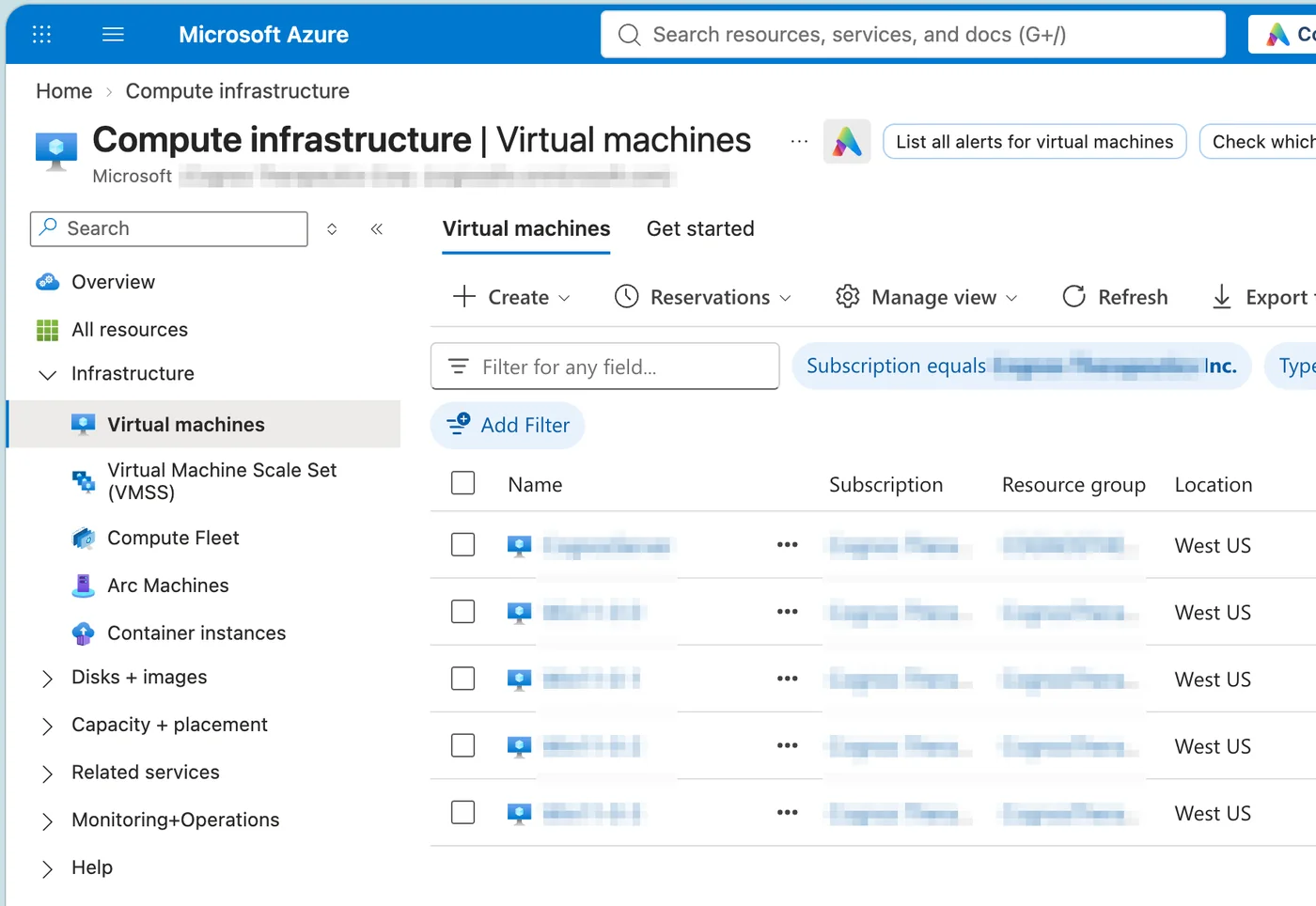
When someone builds a cloud environment by clicking in the portal, it quickly becomes hard to keep track of. Nobody knows exactly what it looks like, and few people document the changes they make under pressure. With Terraform and Bicep, you instead describe the whole environment as code. As a result, you can review and version the code, and it can rebuild the environment exactly the same way.
In this article, we explain the difference between the tools, when we use which one and how we build a way of working that holds up in a group.
What Terraform and Bicep do
Both tools thus describe resources in text files. After that, the tool compares the description with what exists in the cloud and shows exactly what it will change. Only when someone has approved the plan does the tool carry out the change.
Terraform
Terraform works with Azure, AWS, Google Cloud, Oracle Cloud and many other services. Therefore, it suits groups that use several clouds. IBM owns Terraform today, and since the licence change in 2023 the free variant OpenTofu also exists.
Bicep
Bicep, on the other hand, is Microsoft’s own language for Azure. It is easy to read and supports new Azure features straight away. Moreover, Bicep needs no separate state storage, because Azure itself keeps track of the resources.
When we choose Terraform and when we choose Bicep
If the group only uses Azure, we often choose Bicep. If it also uses AWS, Google Cloud or Oracle Cloud, however, we choose Terraform, so that the same way of working applies everywhere.
Sometimes we also combine them. For example, we can build the base platform in Azure with Bicep and the connections to other clouds with Terraform.
How we build the way of working for Terraform and Bicep
Modules
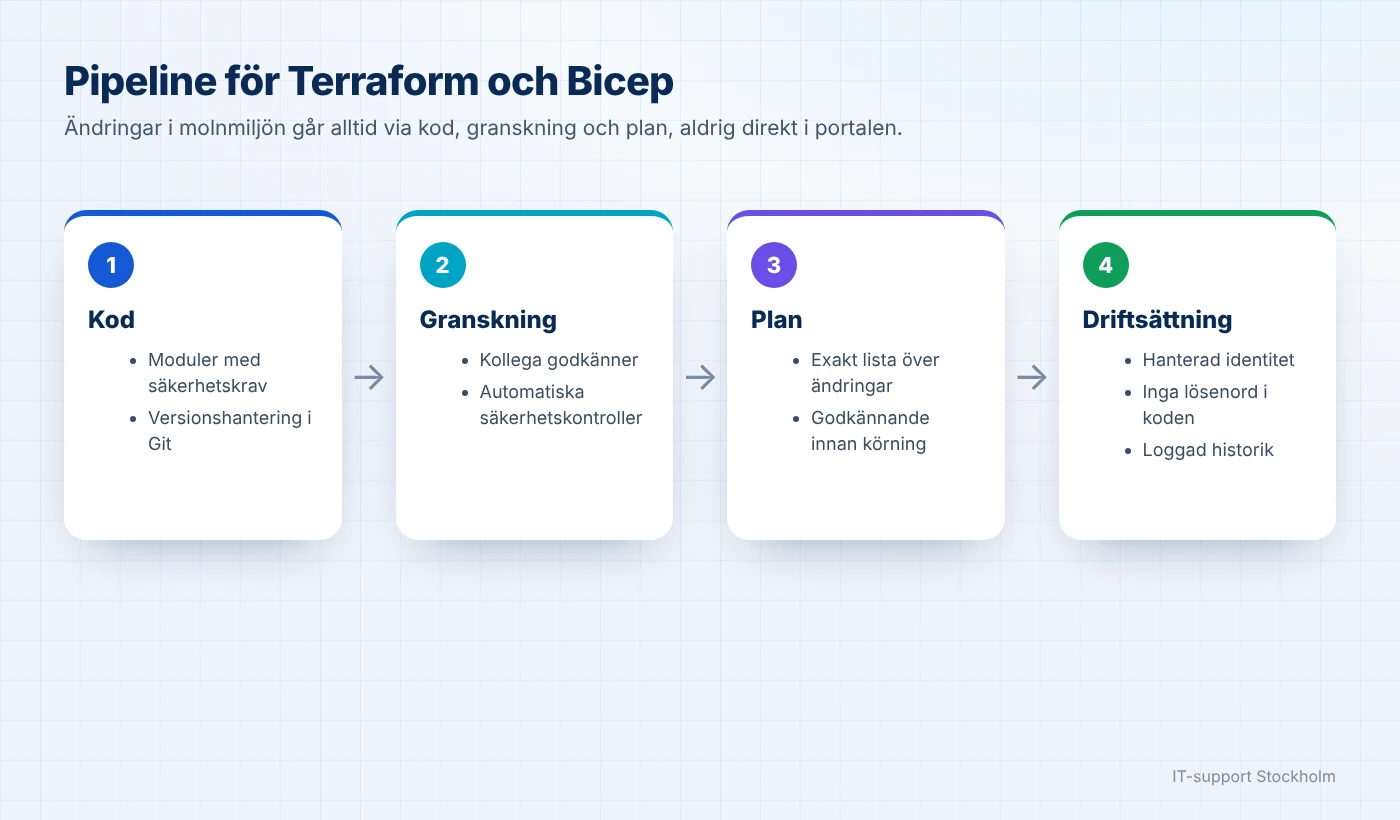
First, we build modules for recurring components, for example networks, virtual machines, storage and firewall rules. The modules contain the group’s security requirements from the start. In other words, it becomes hard to build anything that breaks the rules.
Review
Next, we put all the code in GitHub or Azure DevOps. A colleague reviews every change before anyone approves it. At the same time, we run automatic checks that look for open ports, unencrypted storage and overly broad permissions.
Pipelines
Finally, a pipeline runs the change. The pipeline signs in with a managed identity or federated sign-in, so that nobody has to store passwords in the code.
State and secrets in Terraform and Bicep
Terraform keeps a state that describes what exists in the cloud. The state can contain sensitive information. Therefore, we store it in a protected storage account with encryption, locking and limited access.
For this reason, we never put secrets such as passwords and keys in the code. Instead, the pipeline fetches them from Key Vault or the equivalent service in the other clouds.
Drift
Even with code, someone sometimes makes a change directly in the portal. Therefore, we regularly run a check that compares the code with reality. After that, we fix the deviations or bring them into the code.
You can also read about migration from AWS to Azure and about disaster recovery in the cloud, where code makes it possible to rebuild the environment.
Microsoft describes Bicep in its documentation on Microsoft Learn.
Why groups choose us for Terraform and Bicep
We have built environments as code in Azure, AWS and Google Cloud. As a result, we know how to design modules, reviews and pipelines so that they work in a group with many teams.
Our prices start at €400 per hour excluding VAT. In addition, we offer a fixed price for a base platform with modules and a pipeline. Contact us via the form on our home page.
Frequently asked questions about Terraform and Bicep
The tools
- What is infrastructure as code?
- What is Terraform?
- What is Bicep?
- What is the difference between Terraform and Bicep?
- What is OpenTofu?
- Who owns Terraform today?
- Does Terraform work with Oracle Cloud?
- Can we combine Terraform and Bicep?
- Can we describe an existing environment as code?
- What is a state in Terraform?
Way of working
- What is a module?
- Who reviews the changes?
- What is a pipeline?
- How does the pipeline sign in to the cloud?
- Where do passwords and keys live?
- How do you detect changes made in the portal?
- Which automatic checks do you run?
- How do you handle several environments for test and production?
- Can our own developers work in the same code?
- How do you document the environment?
Price and cooperation
- How long does it take to build a base platform?
- What does an introduction cost?
- Do you offer a fixed price?
- Do you train our team?
- Do you work in GitHub or Azure DevOps?
- Can you take over an existing code base?
- Do you also help public authorities?
- Can you take care of ongoing management?
- Do you work remotely?
- How do we get started?